iOS app FAQ
The iPhone Spaces app allows you to send, create spaces, upload images and videos directly from your iPhone, view files, make comments, and approve files while you’re on the go. Below are some frequently asked questions regarding our iOS Spaces application.
What versions do you support on the iOS app?
How do I rename a Space on the iOS app?
How do I delete a Space on the iOS app?
How do I create a new Space on the iOS app?
How do I add files to a Space on the iOS app?
Is the iPhone app compatible with my iPad?What versions do you support on the iOS app? Back To Top
We currently support iOS 8 and higher for the Hightail Spaces application.
iPhone tip:
To check which version you currently have, you will want to follow the steps below.
- Navigate to Settings
- Navigate to General
- Navigate to About
To update your iOS to the current version, you will want to follow the steps below.
- Navigate to Settings
- Navigate to General
- Navigate to Software Update
How do I rename a Space on the iOS app? Back To Top
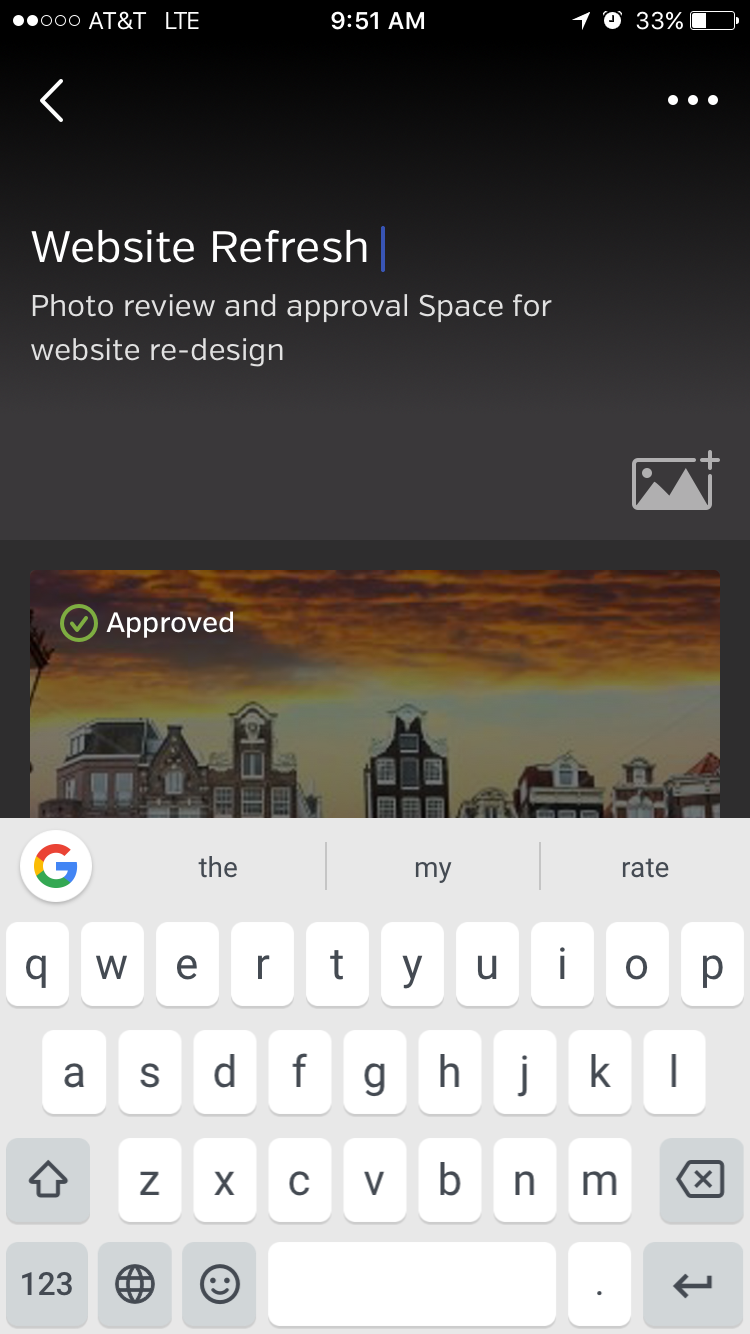
- (While viewing the Space) Press the Space title to get the active cursor.
- Then type in the name you would like.
How do I delete a Space on the iOS app? Back To Top
- Long-press on a Space and click the trash can icon.
How do I create a Space on the iOS app? Back To Top
Click on the circle with the + sign located at the bottom right.
How do I add files to a Space on the iOS app? Back To Top
- Choose the Space you would like to add files to
- Click on the ☻☻☻ sign located on the top right of the phone
- Click on Add Files to choose files from your Photo Album